Release Info for TMS - version 10.4 - Release Date: November 17, 2011
Introduction
This document describes the changes that have been made in this release of the TMS system. Please make sure to read this entire document and make any changes to your processes and procedures as necessary.
Additional Products Needed
This version of the TMS can be used with the Media Adaptation Tool (MAT) version 6.0.3 and above.
Functionality Incorporated into this Release
The following features and enhancements are included in this release:
Core Assets - Identify if Legacy Campaign Art is Available
Feature/Enhancement
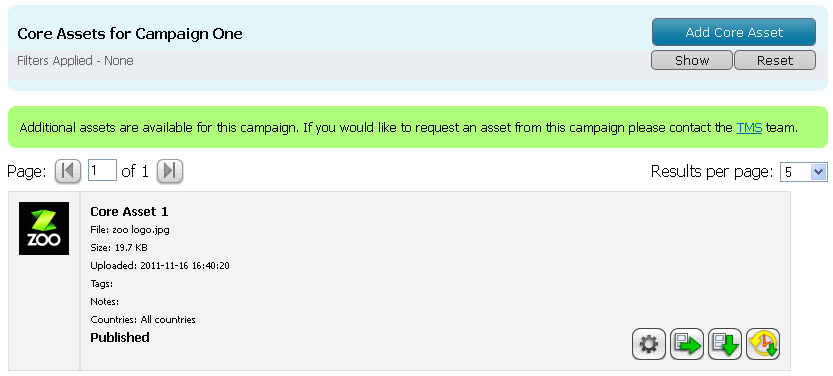
If there are additional files related to the Campaign that you do not wish to be hosted in the Core Assets system, you can elect to display a message to invite users to contact somebody to request the files.
Who Does This Affect?
Administrators and Power Users setting up the Campaigns and Users viewing the Core Assets page.
What Does this Mean to Me?
When setting up a Campaign, there is a new option on the Configure Campaign Details page to specify that there are Legacy Core Assets available for the Campaign.
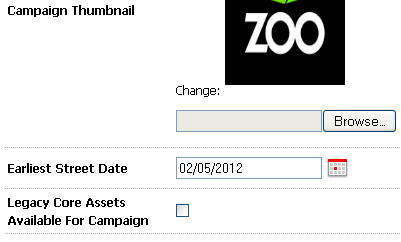
By default there is a single contact email address recipient set up in the site, but it is possible to override this for each campaign by choosing to override and supply an alternative address.

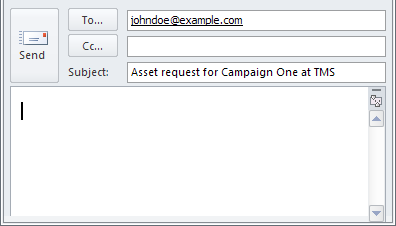
The message appears at the top of the Core Assets page with a link that will create a new email in the user's Email Client with the To address and Subject line pre-populated.
Campaigns - Duplicate a Job Set
Feature/Enhancement
It is now possible to duplicate a job; either within the same Campaign, or to a different Campaign.
Who Does This Affect?
Administrators and Power Users.
What Does this Mean to Me?
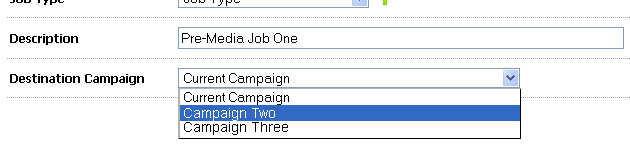
When in the Job Management view, select the Job Set that is to be copied. On the Job Details page, select the Duplicate Button from the top-right of the page.

A pre-populated form is shown with all the details of the original Job Set. Make any necessary changes to the details and save the form to create the new Job Set. If you wish the Job Set to be duplicated to a different Campaign, select a target Campaign from the Destination Campaign drop-down.